
.svg)
...


Oops! Something went wrong while submitting the form.


.webp)
.svg)
EquityList Team
Aug 18, 2025
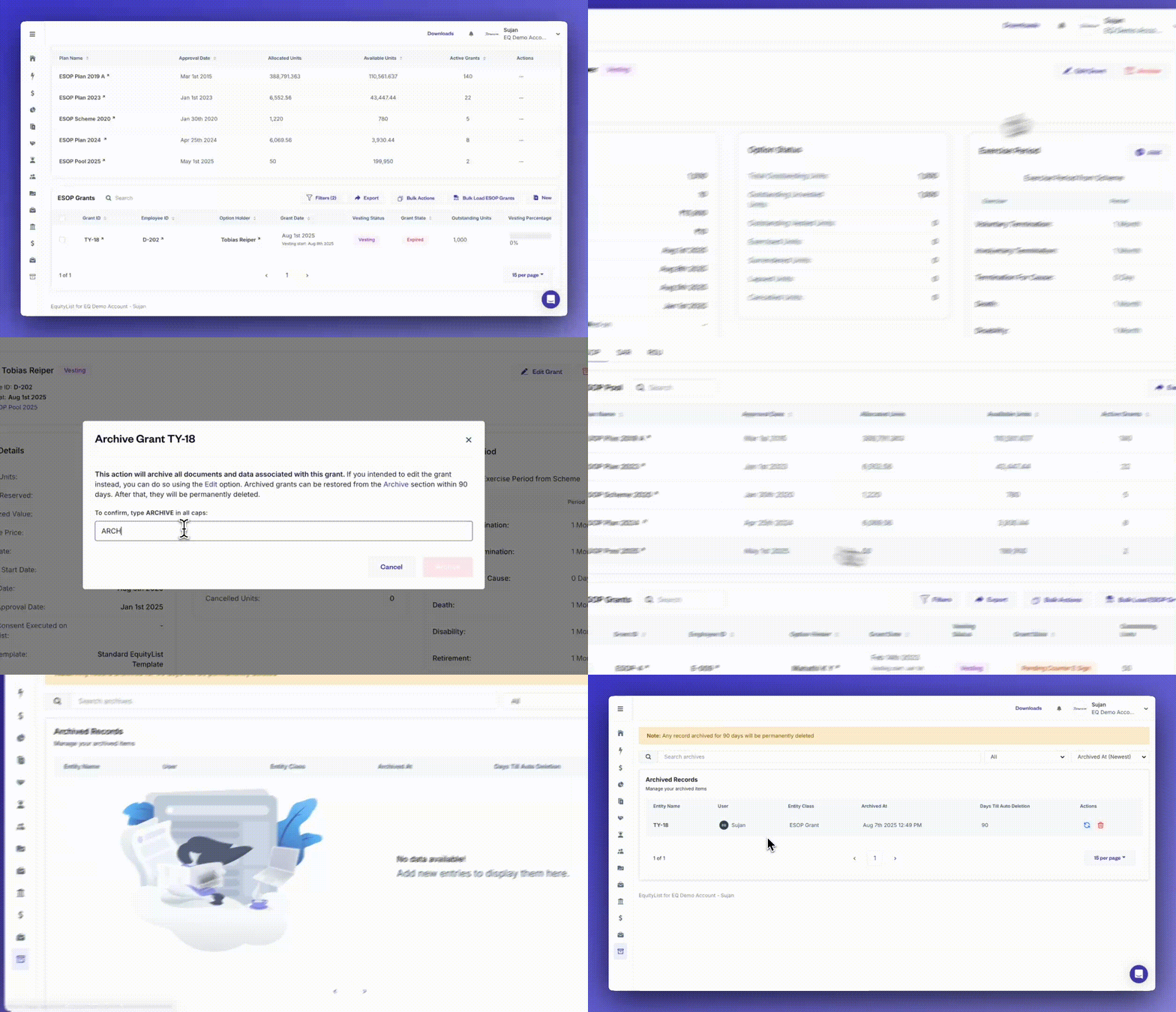
When you need to clean up outdated or inactive records, you can now archive draft-stage stakeholders, grants, share certificates, and other equity instruments—while staying compliant with ownership and execution rules.
[Note: Archiving is restricted for any active or linked records to prevent accidental data loss.]

.svg)
EquityList Team
Aug 18, 2025
When you're managing high-volume equity operations, the ‘Bulk Actions’ panel helps you save time and reduce manual work—whether you're uploading ESOP, SAR, or RSU grants, handling exercises, processing SAFEs or CCDs, or managing share certificates and convertible notes.
With smart templates, automatic data validations, and instant document generation, you can now process up to 12 types of equity-linked actions—all in one streamlined workspace under ‘Quick Actions’.
EquityList Team
27 June, 2025

Under Equity Awards › ESOP Exercises, an ‘Allotment Date’ field now appears when you mark one or many exercise requests as executed.
Select a date there itself as opposed to manual spreadsheet uploads to back-fill allotment details later.
EquityList Team
27 June, 2025

Under Cap Table › Shares › Share Classes, when adding new a class, the ‘Class Type’ dropdown now lists Compulsorily Convertible Preference Shares (CCPS) alongside Common and Preferred.
The form too has been organized into blocks so you can input data with less scrolling and less chances of errors.
Why it matters:
Elevating CCPS to a separate share class—rather than as a toggle buried with ‘Preferred’ previously—keeps things more organized and is just better user experience.
EquityList Team
27 June, 2025

From Cap Table › Shares > ‘Share Certificates’, you can now add or edit ISINs (including uploading the supporting document); the record value for which show on the certificate itself and in every shareholder dashboard for instant reference.
Why it matters:
This is especially helpful for users who are actively dematerialising their securities.
(And if you’re undertaking dematerialisation through EquityList then our team is already adding these ISIN values in your dashboard.)