
.svg)
...


Oops! Something went wrong while submitting the form.


.webp)
.svg)
EquityList Team
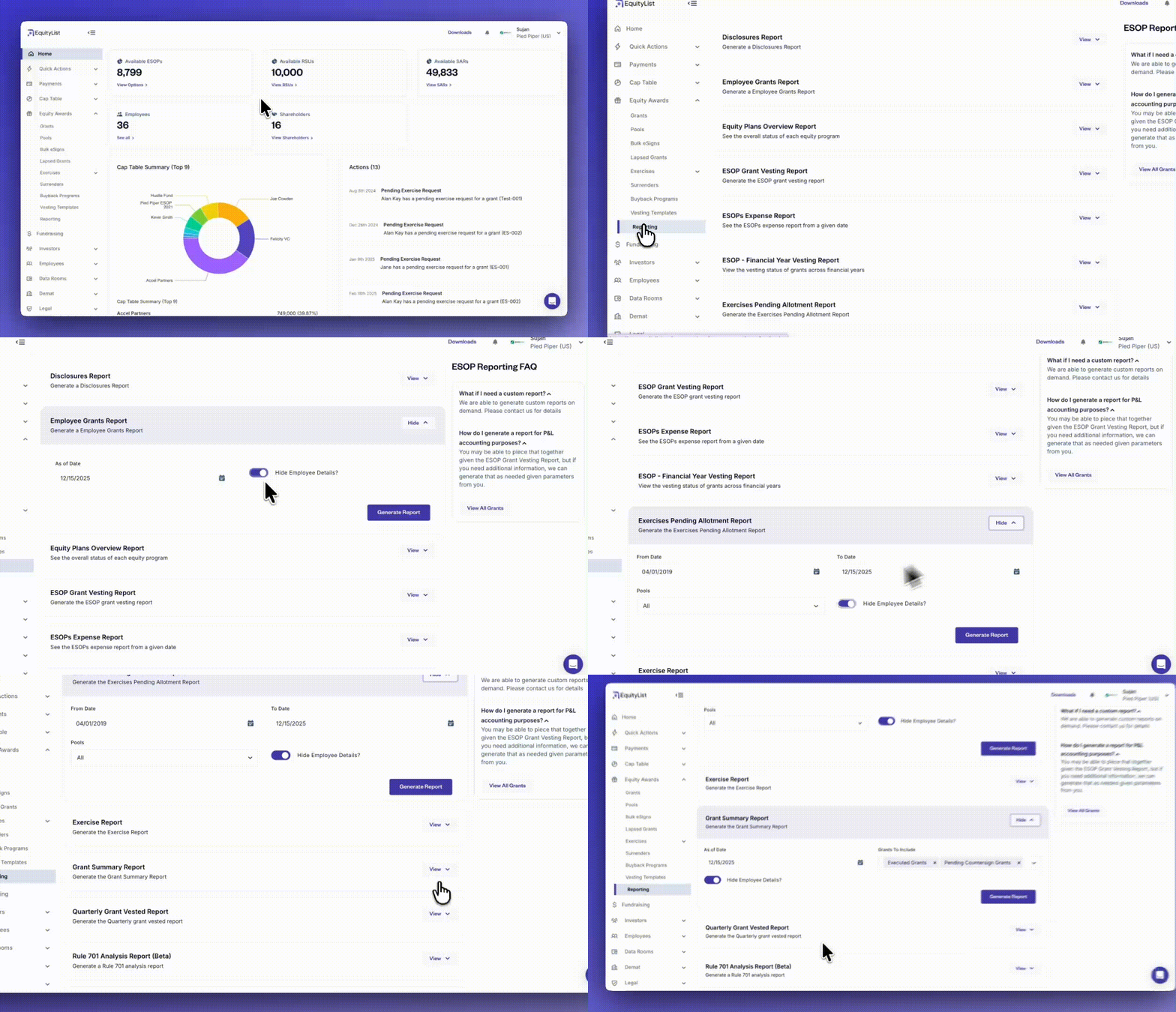
Under Equity Awards > Reporting, employee PII (personally identifiable information) can now be hidden across more reports, removing the need for HR or other teams to manually scrub sensitive information before sharing. This makes it easier to generate audit-ready reports while maintaining privacy and compliance.
Reports included in this update:
Reports currently excluded:

.svg)
EquityList Team
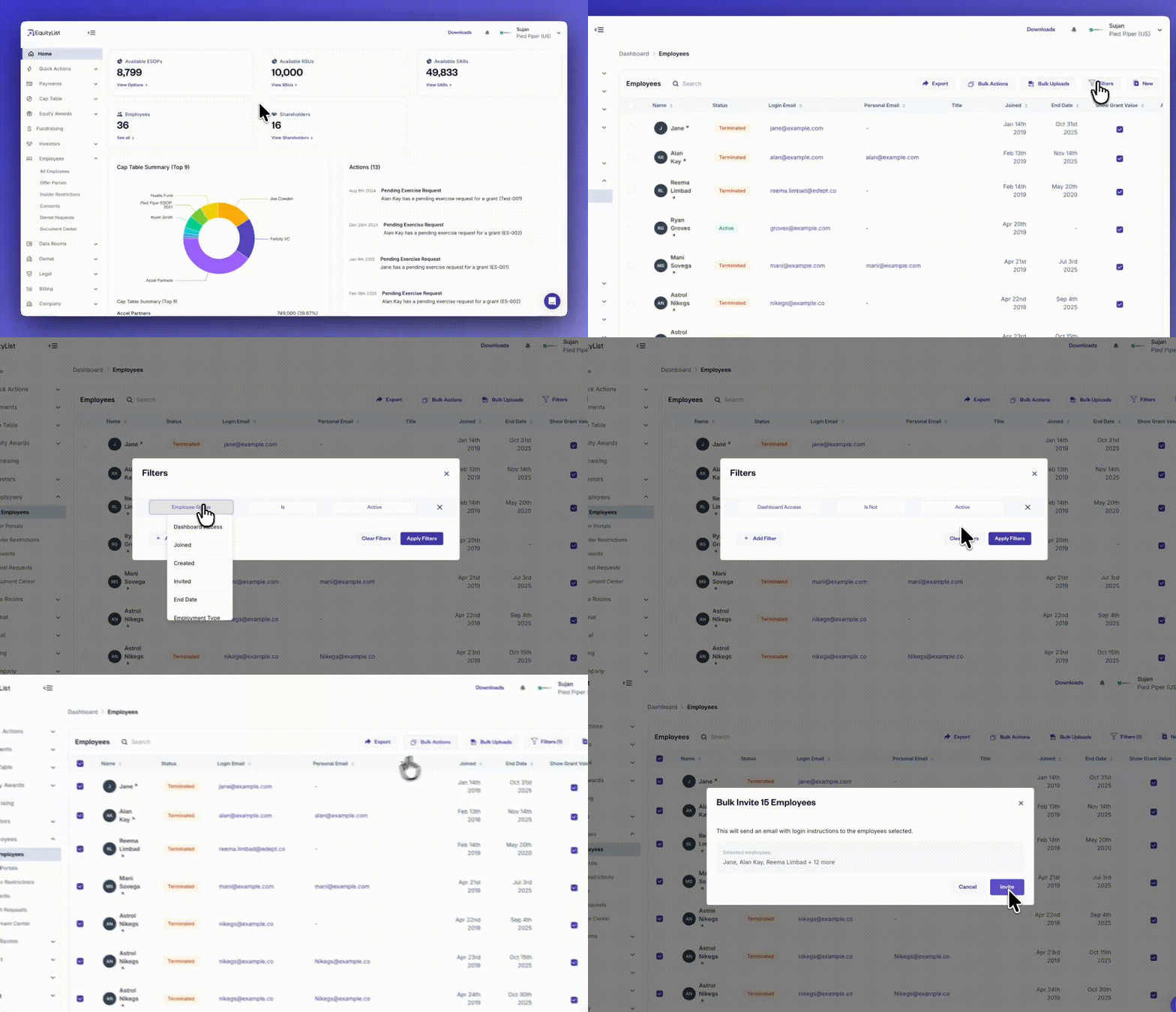
Under Employees > All Employees, you can now apply filters and send dashboard invitations in bulk to the selected employee group. This removes the need to navigate through the ‘Grants’ page or export spreadsheets just to determine who should be invited.
The bulk invite action makes onboarding significantly faster for companies with large teams or complex grant histories, and gives admins a clearer, more controlled way to manage rollout of dashboard access.
EquityList Team
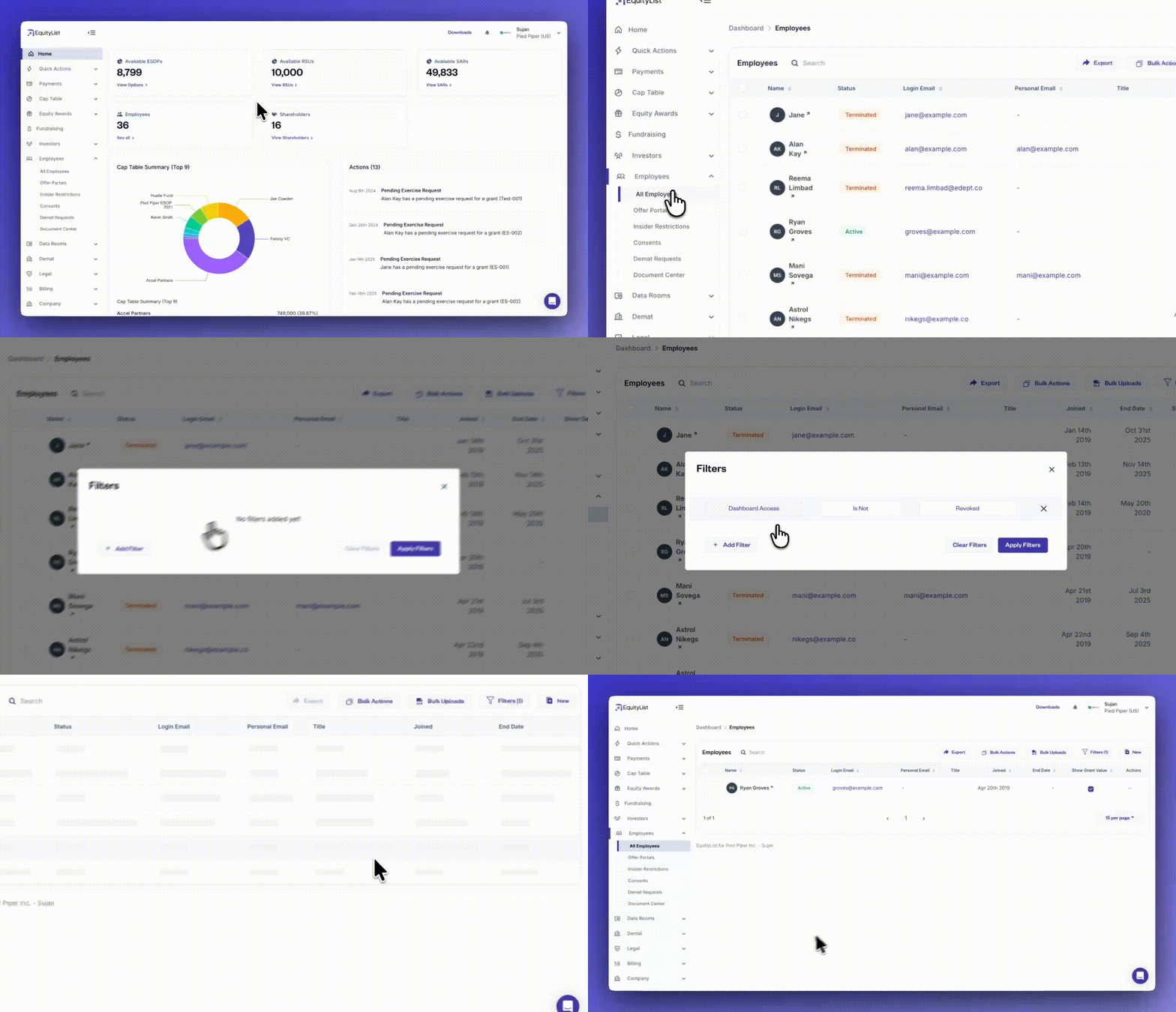
Under Employees > All Employees, it’s now much easier for HR and admin teams to see which employees have dashboard access and which don’t, without manually checking individual records.
The employees page includes new filters that let you segment by dashboard access, employment status, joining date, termination reason, employee type (full-time or contractual), and tax percentages, among others.
These filters simplify access reviews, onboarding checks, and offboarding audits, while also helping HR teams track employees by lifecycle or policy settings.
You can also revoke dashboard access in bulk directly from the filtered list whenever required.
EquityList Team
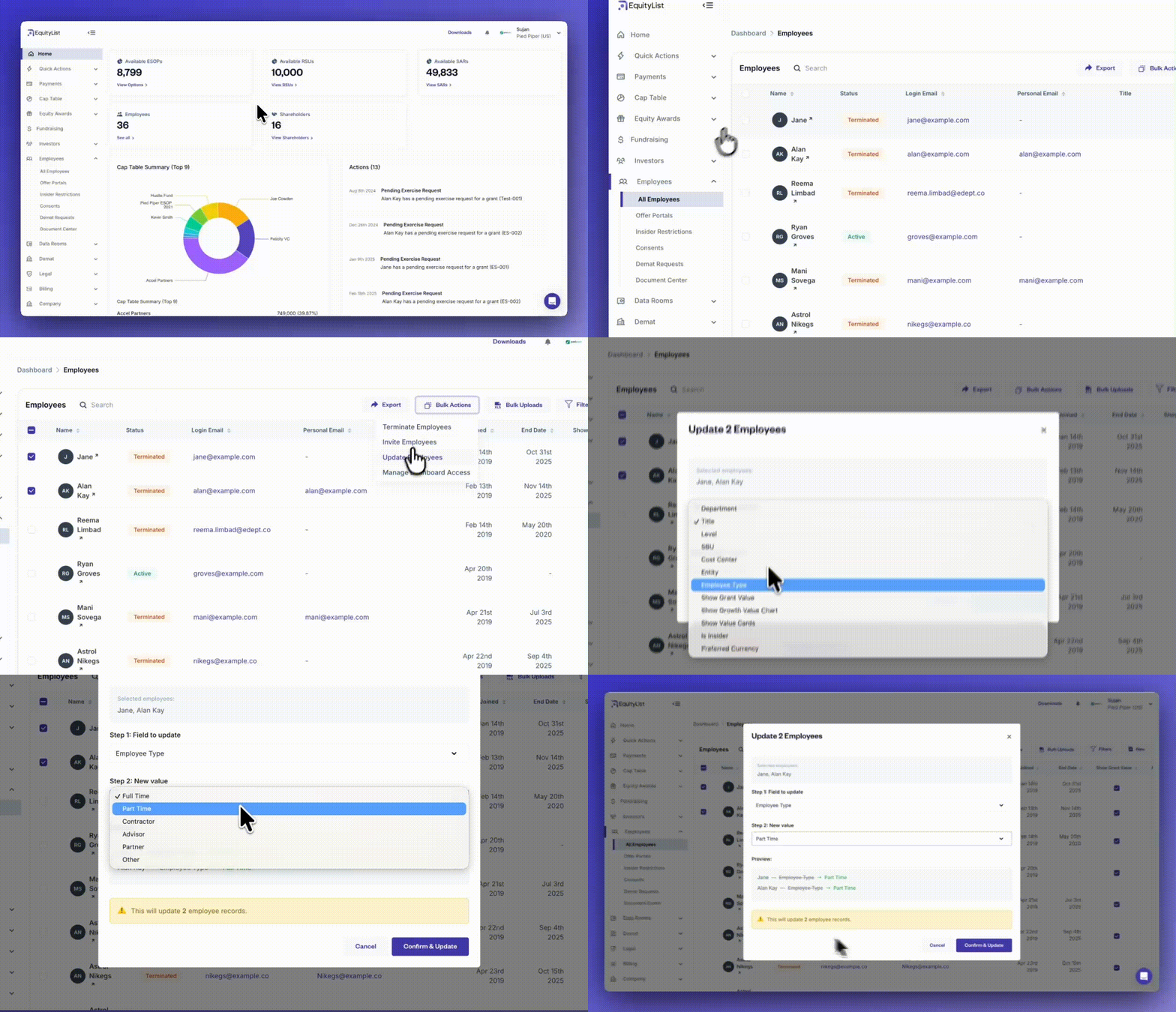
From the left-side menu, under Employees > All Employees, you can now make changes to multiple employee records at once without relying on bulk-upload spreadsheets. Select the employees you want to update, click on ‘Bulk Actions’, and choose the ‘Update Employees’ option.
A modal will let you pick the specific field you want to update and enter the new value. Once confirmed, the platform applies that change to all selected records instantly.
This helps you manage recurring updates without needing external files or manual edits.
EquityList Team
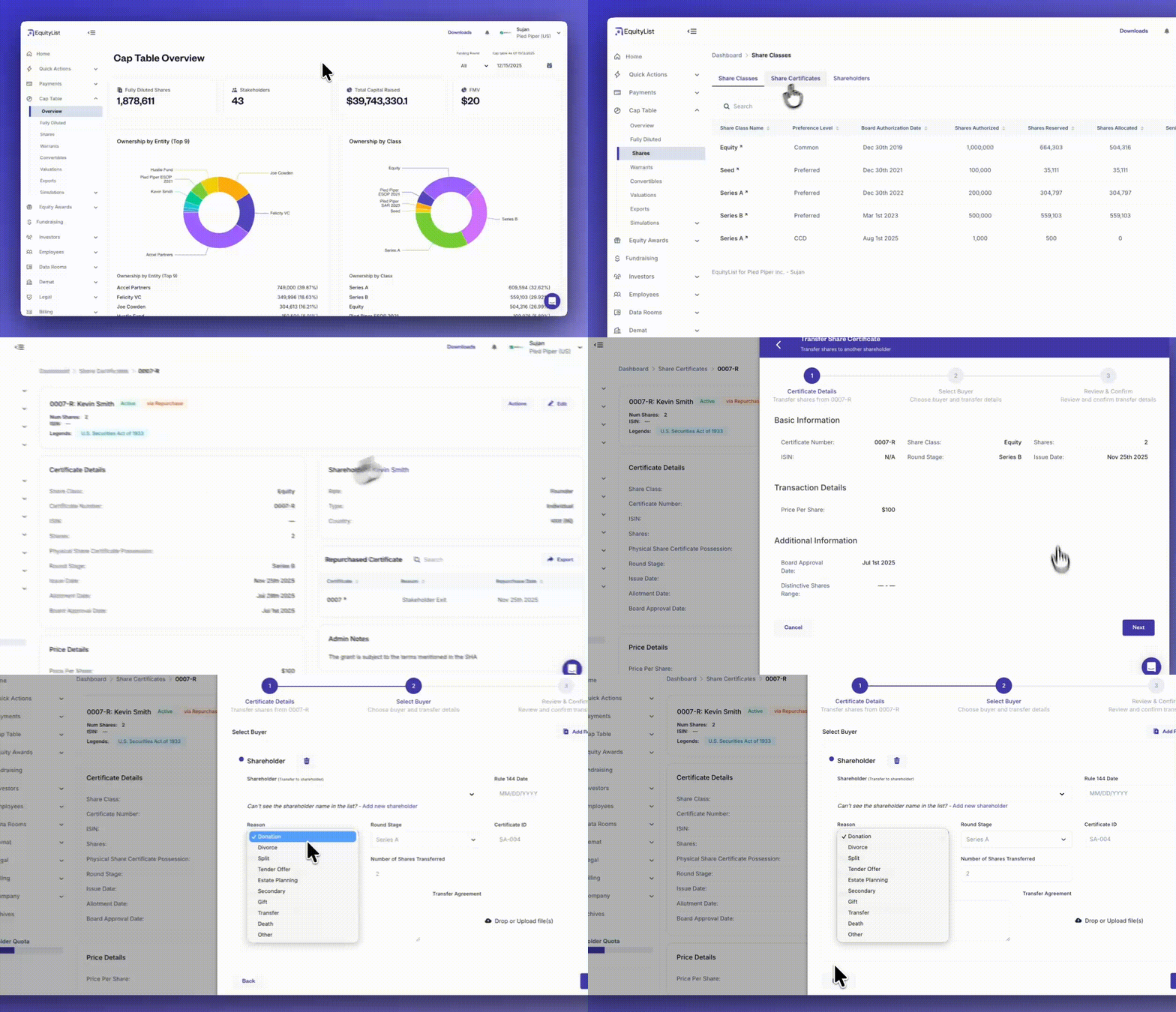
Under Cap Table > Shares > Share Certificates, share splits can now be formally recorded inside EquityList using the transfer workflow.
When creating a transfer, admins can select “Split” as the reason, ensuring the resulting certificate is clearly marked with a ‘Split’ state for easier auditability and downstream tracking.
Transfers to the same shareholder are supported within this workflow, as a mechanism to help represent split activity when no ownership change occurs.